
Transfers
Move a domain into LBC or out to another registrar.
You can move a domain into LBC from another registrar, or move one of your LBC domains out to a different registrar at any time.
Transfer In
Transfer In brings a domain you own elsewhere into LBC, so you can manage it alongside your other domains.
Before You Start
At your current registrar, prepare the domain:
- Unlock the domain, so the transfer is allowed to start.
- Get its auth code, sometimes called an EPP code. This is the password that authorizes the transfer.
You also need your billing and registrant details (name, phone, and address) completed on your account. If anything is missing, you'll be asked to fill it in before the transfer can start.
Starting the Transfer
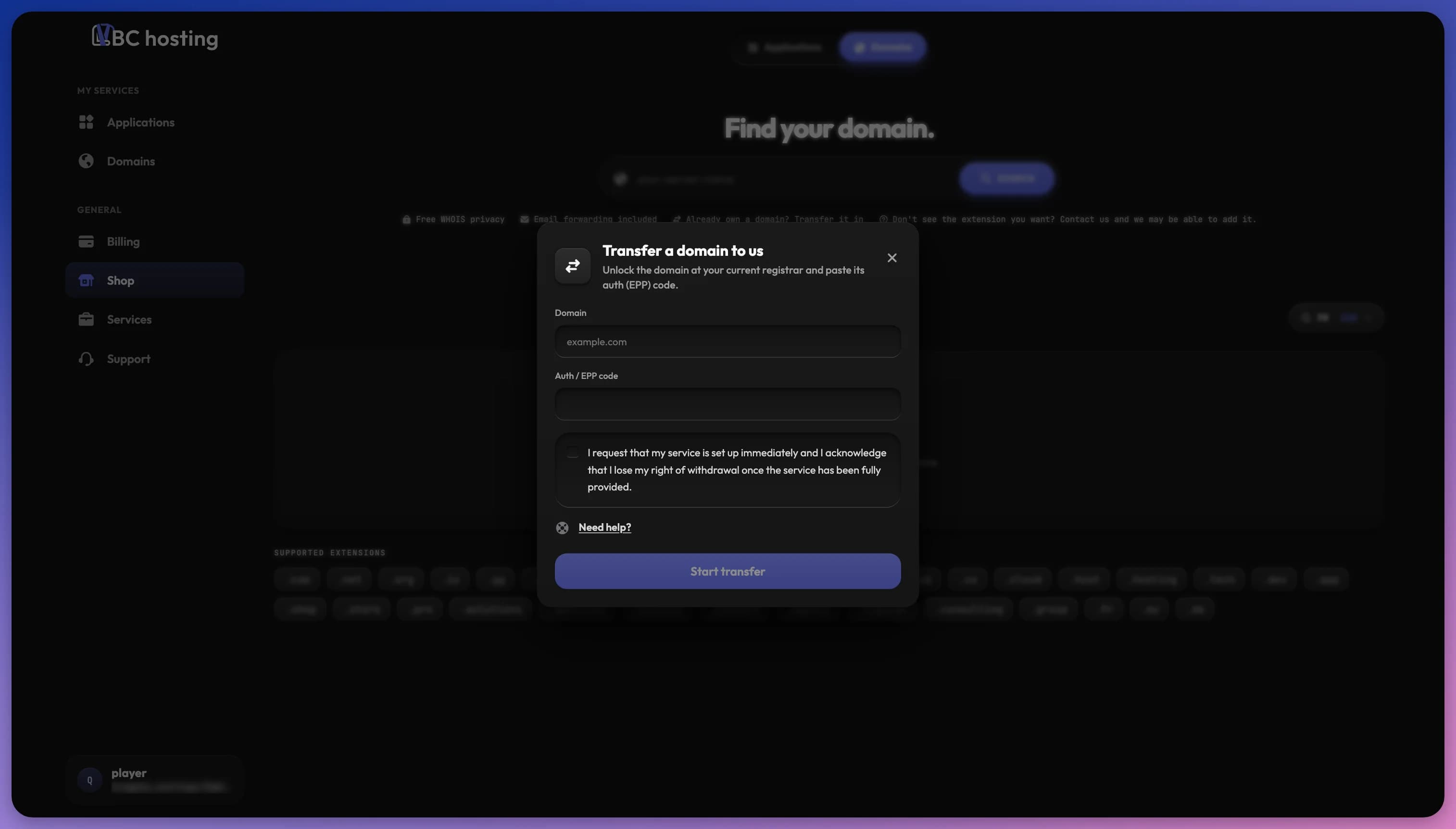
- Open the shop and choose the Domains category, or use Transfer In on the Domains page.
- Enter the domain name and its auth code.
- Pay at checkout to submit the transfer.
A transfer in costs the same as registering the domain and adds one year to its registration.
What Happens Next
Once payment goes through, the domain appears on your Domains page with a Transfer pending status while your old registrar approves the move. This usually takes a few days and can take up to a week.
When it completes, the domain becomes Active, a year is added to its expiry, and auto-renew is on by default. Watch for a verification email about your contact details and confirm it within 15 days, otherwise the domain can be suspended.
If the transfer can't be completed, the payment is refunded automatically and the pending domain is removed.
Transfer Out
The Transfer out tab moves a domain to another registrar. It's free, and the domain stays with LBC until the transfer completes at the other registrar.
- Open Manage for the domain and go to the Transfer out tab.
- Domains are locked by default for security, so choose Unlock & Get Auth Code.
- Copy the auth code that's shown.
- Enter that code at your new registrar to start the transfer there.
Keep the domain active and auto-renew on during a transfer. The domain stays here and keeps renewing until the transfer completes at the new registrar, and an expired domain may not move correctly.