
Configuration
Choose your application's resources, or use a preset to skip this step.
Configuration is where you set your application's resources. If you picked a preset on our website, your specs are already chosen and this step is skipped, though you can still choose Custom or go back to set them yourself.
Presets
Presets are pre-configured resource packages for common use cases, available on our website. Choosing one sets your specs automatically and takes you straight past configuration. If you're not sure what you're doing, we recommend starting with a preset. You can always upgrade later.
To set your own resources instead, choose Custom or go back to the preset selection.
Custom Resources
Custom configuration lets you set each resource individually.
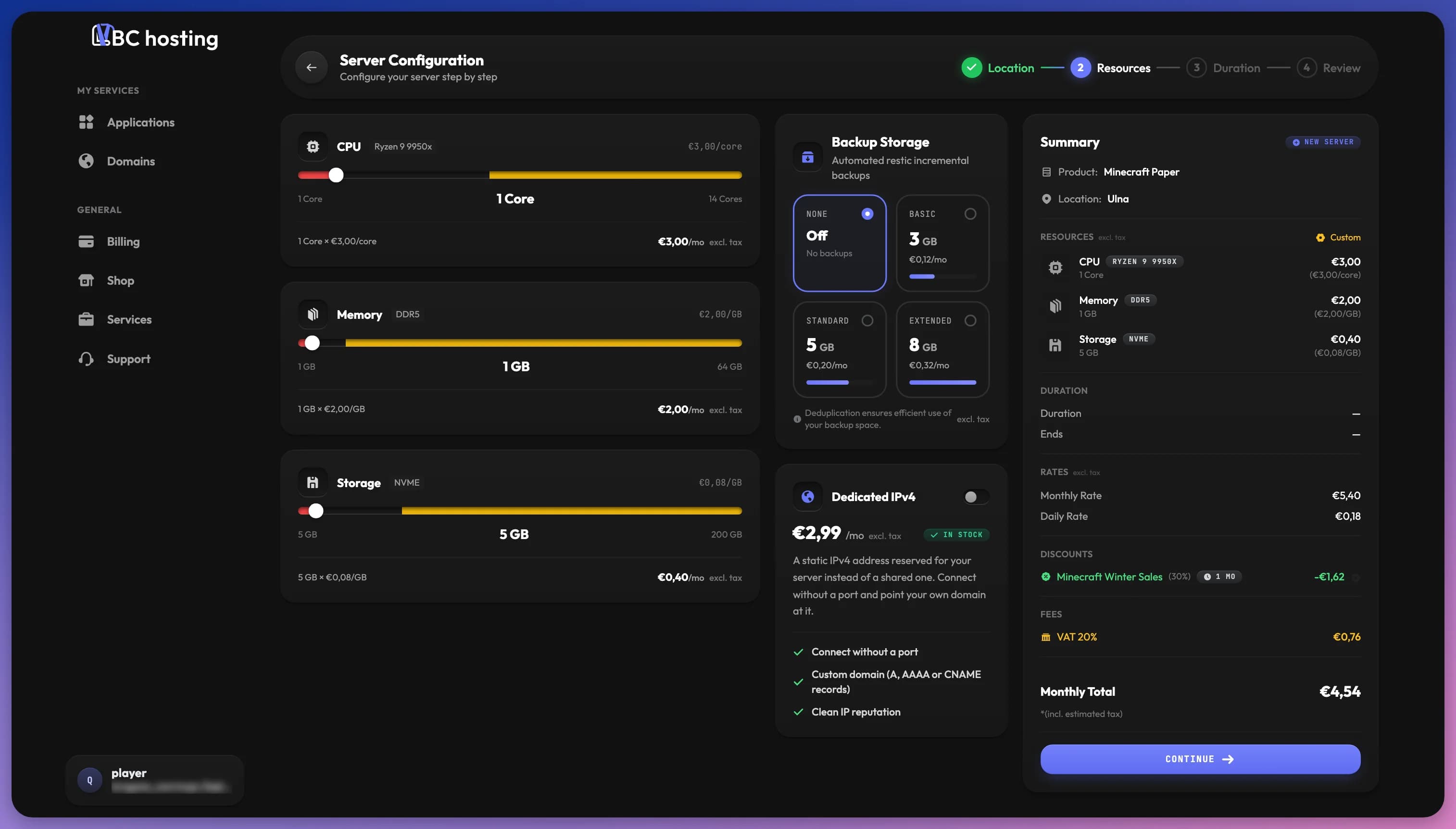
CPU is measured in cores. More cores means more processing power for complex calculations, which is important for game servers with many players, modded servers, or websites with heavy traffic.
Memory (RAM) is measured in gigabytes and stores active data for fast access. It's important for large worlds, many plugins/mods, and databases.
Storage is permanent disk space for your files like world saves, uploads, and logs.
Backups is separate storage space for backup snapshots.
Dedicated IP gives your application its own IP address instead of a shared one. Choose here whether you want to add one.
Some features such as the number of allocations, schedules, and contributors are set to default values. If you need more for any reason, contact our support.
Choosing Resources
Game servers prioritize CPU and RAM. Websites need CPU and storage. Databases benefit from RAM and storage. Bots typically need minimal resources.