
Activity Logs
Learn how to track and monitor actions performed on your server
The Activity page provides a detailed audit trail of all actions performed on your server, allowing you to monitor and track changes made by you and your collaborators.
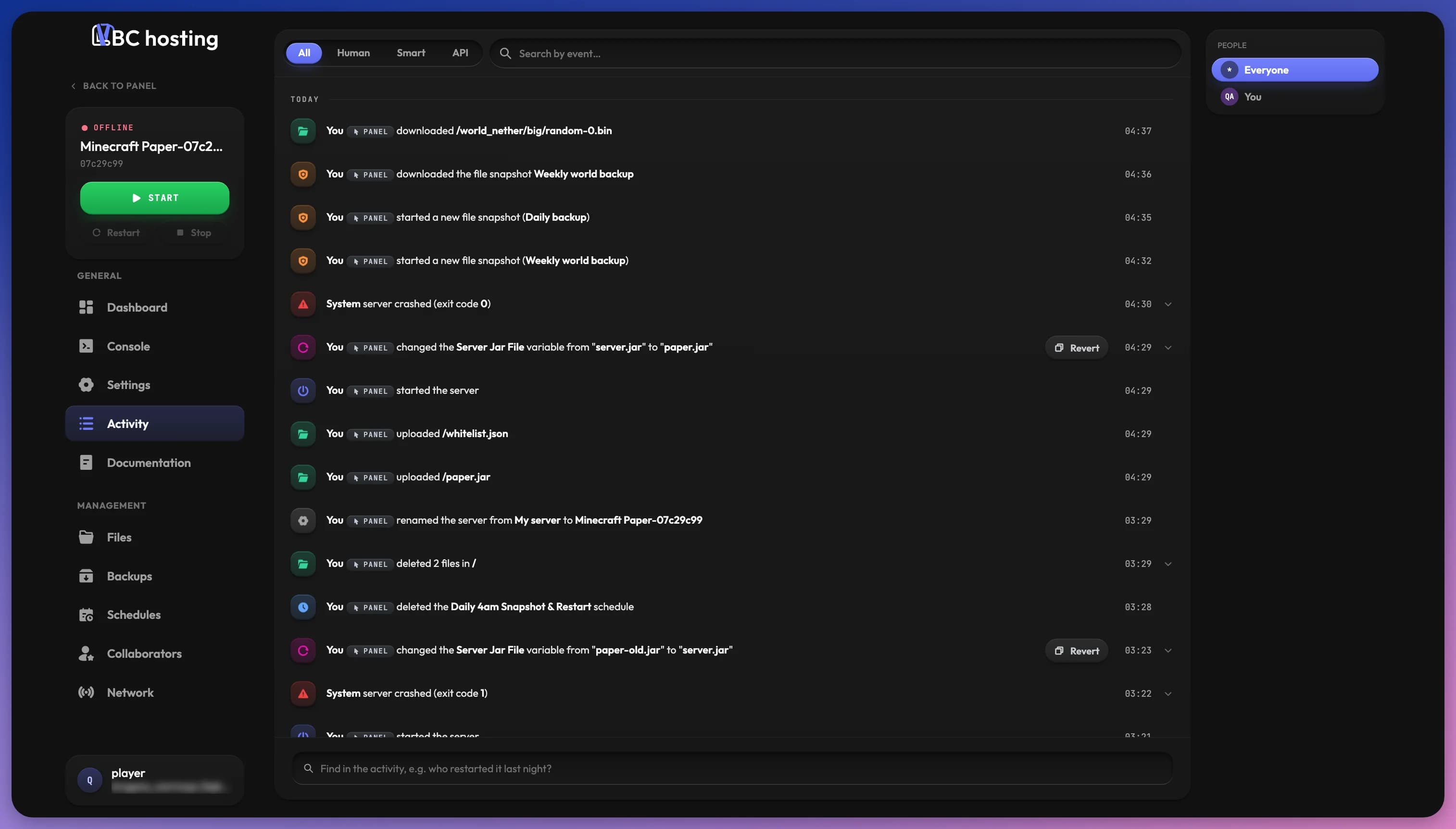
Understanding Activity Logs
When multiple people have access to the server, you'll be able to see exactly who performed which action and when. Entries are grouped by day (Today, Yesterday, then by date), and each one shows:
- Who: The person who performed the action, or System for events the server triggered itself
- How: A badge showing whether it was done from the Panel, over SFTP, through the API, or with Smart features
- What: A short description of the action, with an icon for its category
- When: The time it happened
Categories include power, console, files, SFTP, backups, schedules, network, startup, collaborators, settings and databases, plus:
- Crashes: When the server crashed, ran out of memory, or was restarted automatically
- High load: When the server ran close to its CPU, RAM or disk limit, and for how long
Click an entry with an arrow to see more details. Crash entries show the last lines of the console from right before the crash. Repeated schedule runs are grouped into a single entry.
Older entries load when you click Load older at the bottom of the list.
Entry Actions
Some entries come with buttons to act on them directly:
- Revert: On a variable change, puts the old value back after you confirm.
- Open file: On a file that was opened or edited, opens it in the editor.
- Restore previous version: On a file edit or deletion, rolls that file back to its version in a backup. Changes made by the game itself aren't tracked, so they go back too.
Filtering Activity Logs
The Activity page includes several ways to find specific actions:
- Source: The All, Human, Smart and API tabs show entries from a single source.
- Search by event: Type in the search field to find matching events.
- People: Pick someone in the People list to show only their actions, or Everyone to show all.
Active filters appear as tags under the search field. Click a tag to remove it, or Clear filters to remove them all.
Ask
With Smart features turned on, the box at the bottom of the page lets you ask a question in plain words, such as "who restarted it last night?". It turns your question into filters (people, events, dates) so the list shows the matching entries. Ask only answers questions about what happened on this server.
Security Monitoring
The Activity page is an essential tool for server security, allowing you to:
- Verify that only authorized users are making changes
- Investigate when unexpected server behavior occurs
- Track down who made specific configuration changes
- Monitor for suspicious or unusual activities
If you have collaborators on your server, regularly checking the Activity page can help you understand how they are interacting with your server.
Activity Retention
Activity logs are retained for a specific period to help you monitor your server's history. This makes it easy to track down when and why changes were made, even if they occurred weeks or months ago.
For particularly important events, you might want to take screenshots or notes about significant changes to your server configuration.